











The Bongobongo app is designed for users who prefer a dedicated mobile interface instead of opening the service in a browser. It brings account access, sports markets, live betting and casino games together on an Android phone. Before starting, check that you have enough storage, a stable connection and the correct phone number for registration.
How to Download the Bongobongo App
The app is not distributed through the Google Play Store. Instead, users in Zambia download the APK file directly from the website. Open a mobile browser, visit bongobongo-bet-zambia.com and look for the download option on the homepage. Tap the button and wait for the file to finish downloading. A reliable Wi-Fi or mobile-data connection helps prevent an incomplete file.
Before opening the file, allow installations from outside the Play Store. In Android settings, open Security or Apps, select the browser you used, and enable Install unknown apps. On Android 8 and later, this permission can usually be granted only to that browser, which is safer than enabling it for every source. After installation, turn the permission off again if you do not expect to install another APK.
Keep at least 100 MB of free storage and close unused apps if your phone has limited memory. Once setup is complete, the Bongobongo icon should appear in the app drawer. If the download stops, check available storage and restart it from the website rather than using a copy from an unknown file-sharing page.
Bongobongo APK Installation Details
APK stands for Android Package Kit, the file format Android uses to install applications. It is useful when an app is distributed outside the Play Store, but the source matters. Download only from the service website and check that the download has completed before trying to open it.
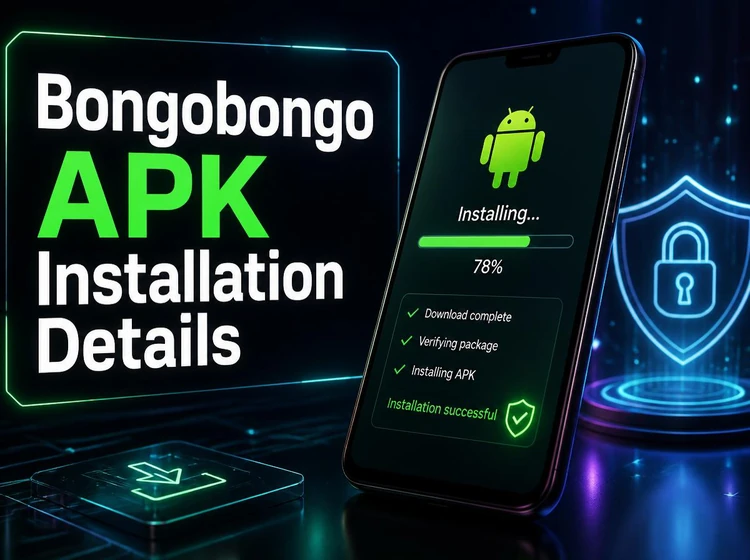
Android may show a warning that the file type can harm the device. This is a standard warning for applications installed from outside the store, not proof that a particular file is unsafe. Do not continue if the file came from a third party, has an unexpected name or was interrupted during download.
When a new release becomes available, install the newer APK over the current version unless the on-screen instructions say otherwise. This normally keeps your account and settings in place. Do not uninstall first unless troubleshooting requires it, because removing the app can delete locally stored session data.
Bongobongo App for Android
The mobile interface is intended for Android phones, including many mid-range devices used in Zambia. A phone with 2 GB of RAM can handle ordinary navigation, while more memory may make switching between live markets smoother. Performance also depends on storage space, background apps and the strength of the data connection.
On a weak connection, allow each page to finish loading before submitting a bet. Refreshing repeatedly can use extra data and may leave an older price on screen. Review the selection and final confirmation carefully, particularly during live events when markets can change quickly.
Android 5.0 or later is stated as the minimum requirement in this guide. If your phone uses an older version, the mobile website may be the practical alternative. Keep Android security updates current, use a screen lock and avoid installing the app on a rooted or shared device where account details may be exposed.
How to Register an Account
New users can create an account from the app welcome screen. Have your Zambian mobile number available and read the age and account terms before submitting the form.
- Step 1: Enter your mobile number in the requested format. It becomes an important identifier for access and account-related messages.
- Step 2: Create a password that is difficult to guess. Avoid names, birthdays and numbers reused on other services.
- Step 3: Confirm that you are 18+ and provide any other details requested by the form.
- Step 4: Submit the form and enter the verification code sent to your registered number.
After verification, review your profile and account limits before depositing. Mobile money may be available as a payment option for Zambian users, but the methods shown in the account depend on the current platform configuration. Keep transaction messages and never share a verification code with another person.
How to Log In
Open the app and enter the mobile number and password used during registration. Select the login button and wait for the dashboard to load. If you use a shared phone, do not save credentials or leave the account open.
If you forget the password, use the login page and select the password-recovery option. Follow the SMS instructions and create a new password that you have not used elsewhere. Check the country code and number format if access fails repeatedly.
An expired session can require a fresh login after inactivity or an update. If the account appears locked, stop trying random passwords and contact support through the available channel. Keep proof of account ownership private and do not send a password by email or chat.
Mobile Features
The app provides access to sports markets such as football, basketball, tennis, rugby and cricket, depending on the event schedule. Open a fixture, check the market rules and review the bet slip before confirming. Odds are not guaranteed until the platform accepts the selection.
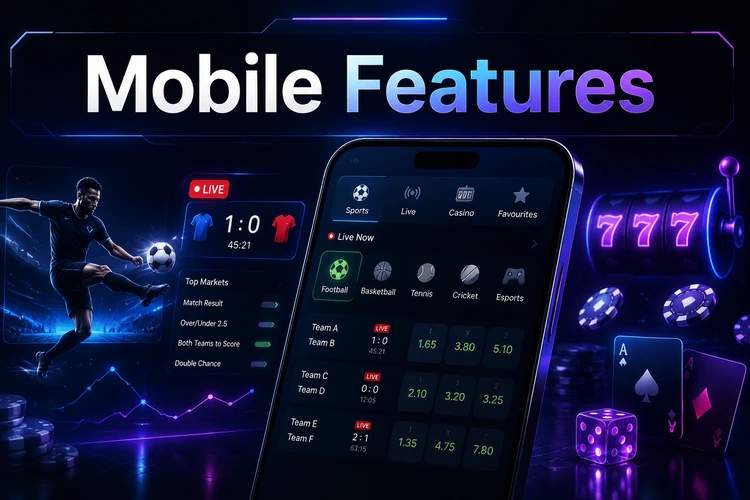
Live betting shows changing prices and markets while an event is in progress. Confirm the event, selection and stake each time, because a market may suspend while the page refreshes. The casino section contains slots, table games and virtual sports. Account balance, open bets, deposits, withdrawals and history are generally found in the profile or account area.
Notifications can be useful for results or account activity, but review notification permissions and disable promotional alerts if they are distracting. A bet history is also helpful for checking settled outcomes against your own records.
Why Use the App Instead of the Browser
A dedicated app can open faster because some interface elements are stored locally. This is most noticeable when moving between the dashboard and frequently used markets. The browser version remains useful on unsupported phones or when you do not want to install an APK.
An icon on the home screen reduces the steps needed to reach the service. The app may also retain a session, although security settings or inactivity can still require a fresh login. Never rely on a saved session on a phone that other people can access.
Data use varies with live video, images, notifications and the number of markets viewed. Using Wi-Fi for large downloads and closing the app when finished can help manage data and battery consumption.
Common Problems and Solutions
If the APK will not install, check storage, confirm that the browser has installation permission and download the file again from the website. An incomplete file or an incompatible Android version can produce the same symptom.
When the app crashes, restart the phone and clear the app cache through Settings, Apps and Storage. Clearing cache removes temporary files but should not remove the account. If the problem continues, reinstall a freshly downloaded file and check whether the phone meets the minimum requirement.
After an update, a new login may be required because the previous session expired. For an invalid-credentials message, enter the number manually and use password recovery rather than repeating guesses. If a verification SMS is delayed, check signal, wait before requesting another code and make sure the inbox is not full.
For balance or transaction questions, save the date, amount and transaction reference, but do not disclose your password or one-time code. Contact support through the platform's available channel and describe the exact error, device type and Android version.
FAQ
Open bongobongo-bet-zambia.com in an Android browser and use the download option on the homepage. Install the file only after checking its source and enabling the relevant Android permission for your browser.
The draft information covers Android. iPhone users can use the mobile version of the website in Safari if the native app is not available for their device.
Download the newer APK from the website and install it over the existing version. A fresh login may be required after the update, so keep your recovery number active.
Use the password-recovery option on the login screen, receive the one-time SMS code and create a new password. Do not share the code with anyone.
The draft specifies Android 5.0 or later. Performance also depends on free storage, RAM, background apps and connection quality.
Check that the file finished downloading, that your browser has permission to install unknown apps and that enough storage is available. If necessary, download it again from the website.